 +
+
A creator sends a cut at 4:42 p.m. The product is clear, the offer is on screen, and the captions look finished at first glance. Then a reviewer spots three problems. The bundle name is wrong. The discount code drops off as it is spoken. A translated line also makes a shipping promise the brand does not make. The captions are technically there. Approval still needs work.
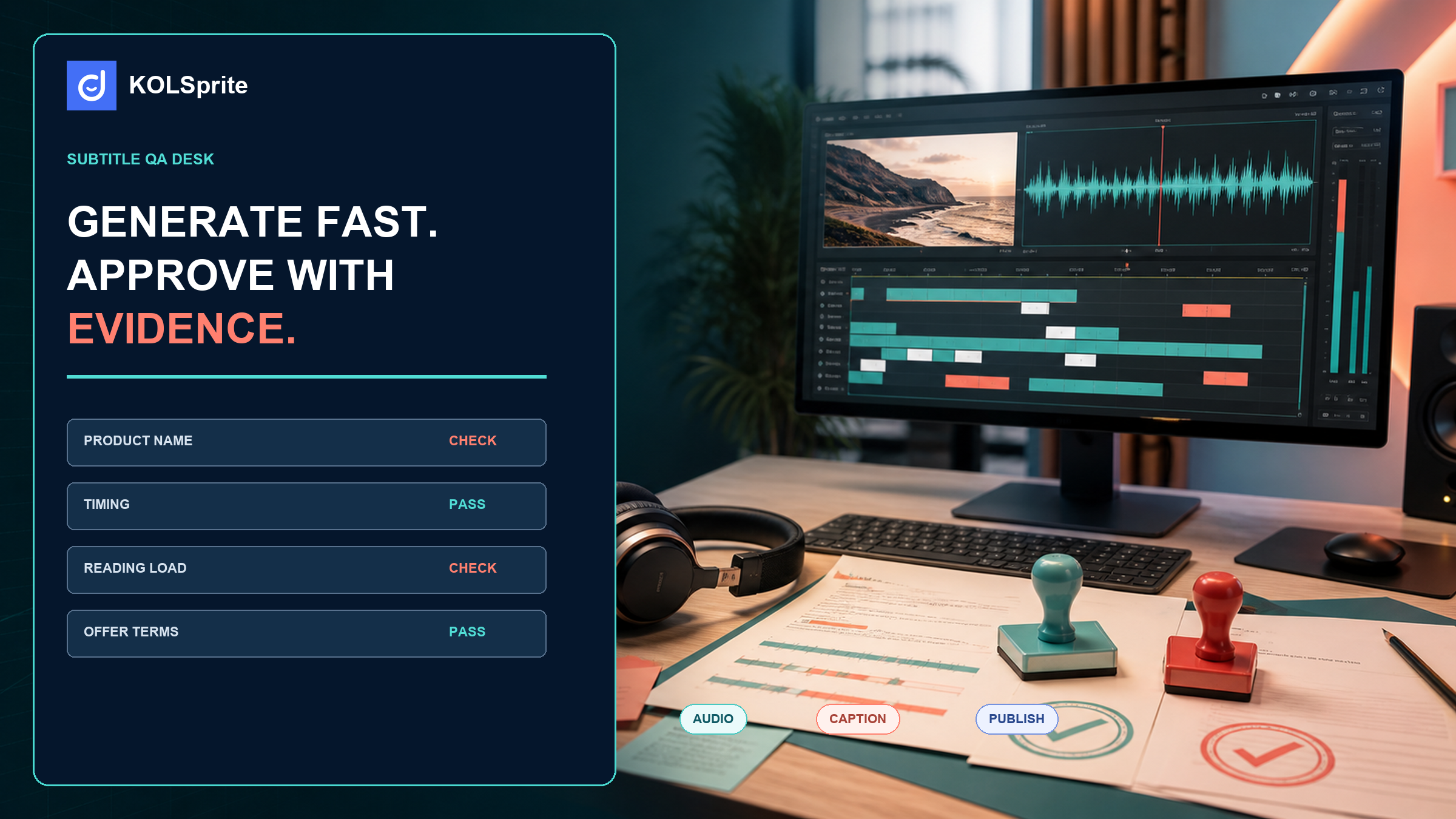
A TikTok subtitle generator can remove the slowest step: putting a first transcript on screen. That does not make the output ready to post. The approval pass still checks four things: the spoken audio, product facts, text timing, and reading effort at normal speed. This focused check is faster and more useful than replaying the whole video five times.
Generation and approval have different standards. A generator must catch enough speech to give an editor a useful start. An approver asks whether a customer can understand the sales message. The captions must not mislead, rush, or hide a key detail. These remain separate checks, even when one person does both.
Start with the moments that can change a buying decision. Check the product name, size or variant, price, discount, bundle terms, availability language, delivery statements, and any claim that appears in the audio. Next, look for small errors that make a video feel careless. These include a split brand name, a line left on screen after the next sentence begins, or a caption that covers the product demo.
This is where a TikTok subtitle generator belongs in the workflow. It gives the reviewer text to inspect, rather than a blank timeline. The reviewer remains responsible for the final wording and timing. That boundary matters when a creator uses slang, switches languages, talks over music, or speaks quickly during a product demo.
The first pass is about truth. Play the cut with audio and follow the captions without editing. Mark any place where the caption changes a product fact or loses a qualifier. “Up to,” “selected,” “while supplies last,” and “new customers” may be short, but they can carry the entire meaning of an offer. Do not fill in a missing word because it seems likely. Return the exact timestamp to the editor.
The second pass is about the silent viewer. Mute the clip and watch it at ordinary speed. Can someone tell what is being shown, what problem it addresses, and what the creator is asking them to do? Captions should support that answer. They should not compete with the visual or force a viewer to read a paragraph while a hand is demonstrating a product.
Look for reading load rather than a fixed character count. A short line can still be hard to read if it flashes over a scene change. A longer line can work when the shot is stable and the sentence is plain. Break at a natural phrase, keep names intact, and avoid leaving a single orphan word on its own line. When a creator pauses for effect, the captions can pause too.
| Caption route | What the public documentation describes | What an approver still checks |
|---|---|---|
| TikTok captions | TikTok describes captions as text that can be added to a video and edited before posting. | Whether the edited wording matches the audio, product facts, and visual pacing. |
| Auto captions | TikTok describes auto captions as speech recognition that creates captions which can be reviewed and edited. | Names, offer language, translation, speaker changes, and timing around cuts. |
| Creator-supplied captions | A creator may provide text that is closer to the intended line or brand wording. | Whether it accurately reflects the recorded audio and stays readable on the final cut. |
Source note, reviewed August 21, 2026: TikTok’s captions guidance and auto captions guidance describe editing paths for captions. Scope: public product documentation. Limitations: feature availability, labels, and editing screens may change; this comparison does not test accuracy for any individual video.
Use KOLSprite to review available subtitles and scripts from supported public examples, then return to your editing tool with a specific approval or correction note.
Register and claim a three-day trial
Many caption errors look plausible during a quick scan. A viewer may not notice that “two-pack” became “to pack.” The ecommerce team will notice if the video promises the wrong item. Keep a short fact sheet beside the timeline. List the approved product name, active variants, offer terms, banned claims, and call-to-action link. The reviewer should be able to check each sales statement in seconds.
Where the creator improvises, preserve what was actually said and flag the business issue separately. Rewriting a spontaneous line into approved copy can create a mismatch between audio and captions. A better return note says, “At 00:18, captions match the audio, but the audio says a delivery timeframe we cannot approve. Please revise the spoken line and recut.” That tells the editor what kind of repair is needed.
AI-generated-content labels are a separate review item when applicable. TikTok’s guidance on AI-generated content explains the platform’s disclosure approach. It does not replace a caption check, and a caption check does not decide whether a disclosure is required. Put both questions on the approval desk so neither becomes an assumption.
Consider a creator saying, “Use code GLOW10 on the starter set through Sunday.” The first caption reads, “Use code GLOW 10 on the starter set Sunday.” It is close enough to look harmless. Yet it breaks the code and removes the time boundary. The corrected caption is: “Use code GLOW10 on the starter set through Sunday.” If the line needs two screens, break it after “starter set,” not inside the code or offer condition.
The same approach helps with bilingual work. A literal translation may capture each word while missing the offer’s intended meaning. Check the translated subtitle against an approved local-language version of the claim when one exists. If it does not exist, ask the person who owns the product wording to decide. Subtitle review is a place to surface that gap, not a place to invent policy.
Keep the return note short enough that a creator can act on it. A seven-line card gives the team a shared standard without turning every draft into a committee review.
That card is an approval record, not an accessibility certification. It helps an ecommerce lead explain why a cut needs a change and helps an editor make a targeted repair. For a script-side review before a shoot, compare the spoken lines with the planning approach in TikTok transcript generator content research. For customer phrasing that may deserve a closer look, see UGC script from comment questions.
Join the KOLSprite Discord to compare subtitle QA standards, product-name corrections, reading load, and publish-ready checks.
 +
+
Join the KOLSprite Discord community
A team may disagree about how a hook or disclosure reads in the category. The same is true of a bilingual line. Public reference videos give that discussion something visible to inspect. KOLSprite can support public content research, available subtitle or script inspection, and comparison of hooks and wording where supported. Use that evidence to frame an editorial question, then make the final caption changes in the editing tool.
It does not author the final captions, certify accessibility, clear rights, or guarantee that speech recognition is correct. Those limits keep the work honest. A reference clip can show how another public video handles a quick product reveal; it cannot decide what your product team may claim. A category comparison may also be useful alongside TikTok Creative Center seller validation, especially when the team needs to separate a visible convention from an approved message.
A publish decision can be simple. Approve when the captions match the audio, the business details are accurate, and the viewer can read the clip without losing the product action. Return the cut when a repair is localized. Rewrite when the spoken line itself is wrong, because caption edits cannot solve an incorrect promise on the soundtrack.
Give the editor timestamps, replacement copy where it is approved, and the reason for the change. That keeps the next version from arriving with a different guess at the same problem. The generator has already done its part. The final check is where the video becomes safe to publish.
Build a little slack into the review window. The last hour before launch is a poor time to find an unapproved product nickname. It is also too late to learn that a translation needs a product owner. An early cut gives the reviewer time to separate caption repairs from audio rewrites. It also keeps one person from making a decision they do not own. This also gives the creator a usable return path instead of an unexplained rejection.
A good approval history helps with the next batch. Keep examples of repeat fixes, such as a brand name that auto captions often mishear or a phrase with an approved translation. Use those notes to improve the brief and review. Do not assume a TikTok subtitle generator will make the same error on every clip. Check the output in front of you.
Latest Articles

As an essential, data-driven toolkit for TikTok influencers and marketers, KOLSprite provides powerful features for effortless creator discovery, trending content identification, and actionable real-time insights.
It empowers users to make smarter decisions and significantly boosts their TikTok business.

 Refer & Earn