 +
+
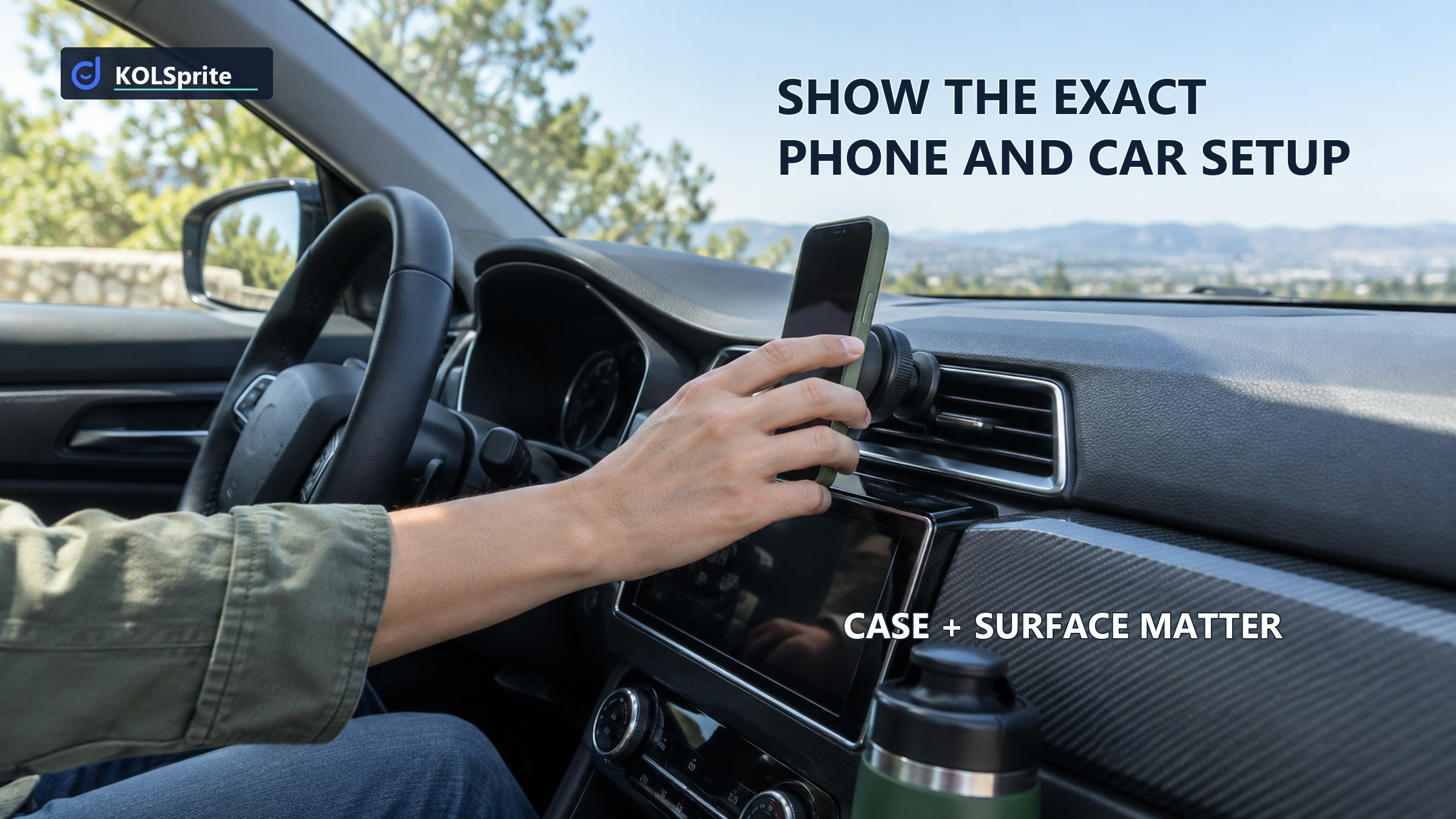
A magnetic car mount may hold one phone in one setup, but that shot cannot promise it will work in every car. For an auto-accessory seller, the useful first move is to name the phone, case, surface, mount version, and test conditions on screen. Approve the clip only for the setup the team can support. Buyers then know what was actually tested and what remains unknown.
This setup-first rule gives an auto-accessory seller a clean approval test. The video can prove a particular use under stated conditions. It cannot use one clean shot to make a universal compatibility promise. The car and phone case are part of the claim, not background props.
Look closely at the moment the phone meets the mount. Can you identify the phone model? Is the phone bare, inside a case, or using another attachment? Where is the mount installed? Does it clip to a vent, attach to a dashboard surface, or use another support? Is the creator holding the camera in a parked car, or is there evidence of a defined road test? If those details are missing, “strong magnet” has no useful boundary.
The problem is not that short videos lack laboratory conditions. It is that sellers often ask a shot to prove more than it contains. A phone remaining upright in one frame may show that the displayed setup held long enough to capture that frame. It does not show adhesive life, bumpy-road performance, safe placement, or compatibility with other cases and vehicles.
Before discussing style, identify the buyer's actual job. A driver may need the phone visible in a particular car, with a case they already own, without blocking a control or creating an unsafe placement. Comparing accessories by the buyer's actual job keeps the test centered on use rather than on a dramatic pull against the magnet.
A compatibility card should travel with the sample and return with the footage. It names the sold item and the test setup so the reviewer can tell what the creator actually demonstrated. Leave no cell implied. “iPhone” is not an exact phone. “Case” is not a case type. “Dashboard” is not a surface or placement.
Sold mount: Record the exact version, included components, and attachment method.
Phone and case: Record the phone model, case or attachment used, and whether any plate or ring was installed.
Car surface: Record the vehicle area, material or vent style, and exact placement shown.
Conditions: Record whether the car was parked or moving, what route condition was shown, the duration, and any adjustment.
Decision: List the shown configuration as supported by this demo, list every other configuration as untested, and reject “works in every car.”
Source note: KOLSprite public US search, accessed September 29, 2026. One title promised hold on bumpy roads without naming the phone case or mounting surface. Gym-holder and power-bank videos were off-family and were not treated as car-mount evidence.
The card should also have an “unknown” column. An honest unknown is useful because it becomes the next seller-owned test. If the clip shows one phone in a thin case on one vent, a thick case, a bare phone, and a textured dashboard remain untested. The creator should not be asked to smooth those gaps with a broad voice-over.
Choose the next test from the setup buyers are most likely to ask about, not from the most dramatic shot. Start with the mount version that will ship. Then choose a phone and case combination the team can name, reproduce, and photograph. If the listing promises vent use, film the vent style and installation before adding a road scene. If it also promises dashboard use, test that surface as a separate setup. Keep the results apart on the card. A pass for one attachment method cannot be carried over to another. If the team cannot test a promoted configuration, narrow the listing and brief to the one it can support. This gives the creator a clear scene and customer support a clear answer.
Open one public reference with KOLSprite for Chrome and note the phone, case, and surface it actually shows. Use desktop Chrome. On a phone, open this article on your computer to install the extension.
Magnetic car phone mount compatibility has four parts, and each needs its own answer. Hold asks whether the phone stayed attached in this test. Fit asks whether the mount, case, phone, and attachment work together. Placement asks whether the product can go in the pictured spot. Safety asks whether that use is sound. A short demo may address parts of the first three. It should not imply a safety result the team has not shown.
This separation improves the script. “The phone stayed on this mount during the shown bumpy-road segment” is narrower than “It never falls off.” “This clip fits the vent shown” is narrower than “Fits any car.” The narrower statements may sound less dramatic, but they help a buyer compare the product to their own setup.
Review the current TikTok Shop product listing guidance and the FTC's small-business advertising guidance when settling listing and claim support. Neither source turns a public creator clip into seller-owned compatibility testing. The seller remains responsible for the promise it publishes.
Start the shot with the equipment visible. Show the mount version, phone model, case, and any added ring or plate. Show where and how the mount is installed. Let the viewer see the phone attach and the angle adjustment. If road movement is part of the demonstration, identify the condition without implying that the route represents all driving.
Keep the camera wide enough to preserve context. A tight crop on the phone can hide the surface and support method that make the demonstration meaningful. Include a close view when needed, but return to a frame that shows the complete setup. If the video is assembled from separate moments, do not imply continuous performance that was not recorded.
End with the configuration, not a universal conclusion: “Shown with this phone, case, mount version, and vent setup.” That closing line helps buyers self-select and tells customer support what the creative actually promised. The guide to finding creators who can show a technical setup can help identify people comfortable naming these details instead of hiding them behind fast edits.
Compare a public demo question without claiming an untested fit.
 +
+
Use a two-pass review. On the first pass, watch without sound and write only what the footage shows. On the second, listen to the words and mark every statement that goes beyond the visual record. A claim passes when the configuration is named and the footage supports that bounded observation. It needs revision when the footage is useful but the wording is too broad. It fails when the central condition is hidden or the statement cannot be supported by the shown test.
For example, a clip may show a phone attached while the car moves over a rough section. If the case and mounting surface are not named, the useful edit is to add those facts or reshoot the setup. If the voice-over says “works on every road in every car,” removing “every” is not enough. The seller must replace the universal promise with a precise description of the test that actually occurred.
Also watch for product-family confusion. A gym phone holder may involve grip and adjustment, but it does not answer a car-mount compatibility question. A magnetic power bank may attach to a phone, but it does not establish vehicle placement. Excluding those references is part of good judgment, not a technical footnote.
Use KOLSprite to search public mount products and videos, reject unrelated matches, and note what each relevant demonstration actually shows. The output is a reference shortlist plus a list of missing compatibility details. That list should contain concrete objects: phone, case, attachment, surface, mount version, placement, movement, and duration.
Bring the shortlist into the seller's test review, not into the final copy as borrowed proof. A public title about bumpy roads can remind the team to define road conditions. It cannot establish that the seller's mount, adhesive, vent clip, or phone setup will perform the same way. The seller's actual product still needs its own test and approval.
Search captions cannot verify magnetic hold, adhesive strength, vehicle safety, or phone compatibility outside the shown setup. The small public set is not market-wide demand evidence and does not make an off-family device comparable. KOLSprite helps organize visible references; it does not certify the mount.
The final approval note should fit on the compatibility card. Name the exact configuration the footage supports. List any configuration the seller has separately tested and can properly support. Put every other phone, case, surface, or vehicle condition in the untested column. Then match the listing and creator caption to that boundary.
A useful approval might say that the clip demonstrates the sold mount version with a named phone and case on the shown vent style during the stated condition. A revise decision might request a wider setup shot or remove an unsupported bumpy-road conclusion. A reject decision should identify the universal claim and the missing test information, so the creator knows what must change.
Turn the card into a setup-specific brief using the guide to writing a setup-specific creator brief. No clip can settle every car setup. It can show one honest link between the phone, mount, surface, footage, and claim. Can the buyer tell whether their own setup matches the one on screen?
Latest Articles

As an essential, data-driven toolkit for TikTok influencers and marketers, KOLSprite provides powerful features for effortless creator discovery, trending content identification, and actionable real-time insights.
It empowers users to make smarter decisions and significantly boosts their TikTok business.

 Refer & Earn