 +
+
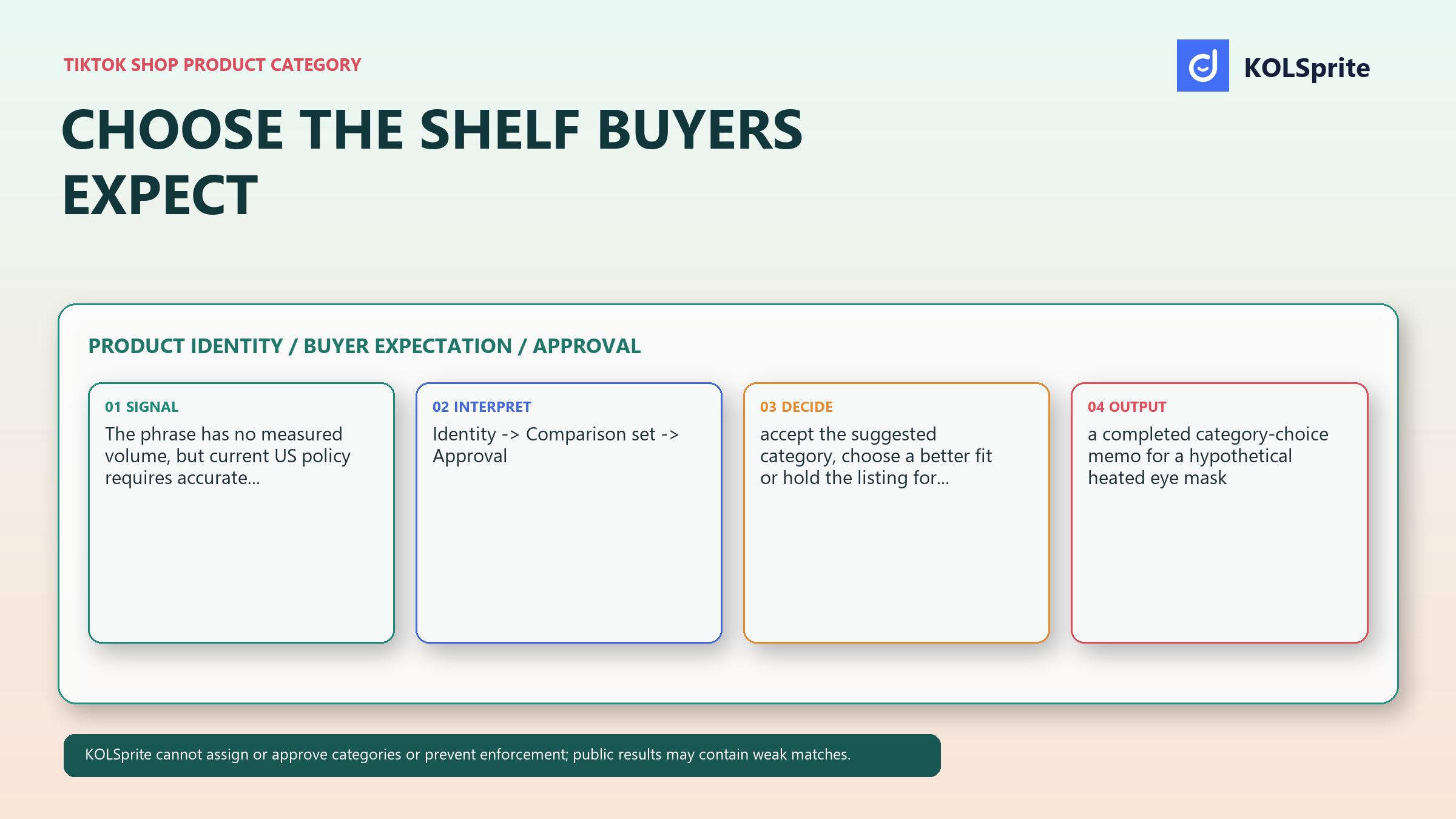
For a seller with a reusable heated eye mask, the item may seem to fit on three shelves. It could look like a personal-care item, a sleep item, or a wellness device. Each choice changes what a buyer expects. This hypothetical case is not a category ruling. It is a way to make the choice clear.
Choose the TikTok Shop product category where a buyer would expect to compare the item. Then check the live Seller Center tree and any approval rule before you publish. Do not pick a broad shelf just because it sounds busy. Pick the shelf that fits the product facts.
The team sees three possible shelves. One is for general personal-care items. One is tied to sleep use. One is for wellness devices. Each shelf tells a story before the buyer reads the page. The first may be too broad. The second may suggest a sleep result. The third may come with an approval need that the team has not checked.
Ask which shelf makes fair comparison easy. A good shelf places the item near products a buyer sees as real options. A poor shelf makes the seller add extra benefit claims just to explain why the item is there. That is a sign of a weak fit.
The choice affects the rest of the page. It shapes the title, images, details, and option names. It may also affect review. A clear shelf lets the seller use plain words. The buyer already has the right frame.
Now test the case from the buyer's side. A buyer on a personal-care shelf may compare shape, comfort, reuse, and what is in the box. A buyer on a sleep shelf may ask whether the item changes sleep. A buyer on a device shelf may expect clear facts about how the heat works. Those questions are not the same. The seller should not invite a question that the product record cannot answer.
Describe the product in one noun phrase with no benefit, audience, trend, or outcome language. For the hypothetical item, “reusable heated eye mask” is a starting identity. “A better night's sleep tool” is not. It may be an aspiration, but it does not tell the reviewer what the product is. “Self-care essential” is even less useful because it could describe almost anything.
The noun phrase removes sales language. After you write it, list the form, main use, included parts, and key feature. Then compare those facts with each possible shelf. Look for items that a buyer would compare on the same basic facts.
In this case, the basic facts are simple. The item covers the eyes. It gives heat. It can be used again. It may include other parts, but only a confirmed box list can say what they are. Do not base the shelf on a claim about sleep, care, or treatment unless the seller can support that claim and the rules allow it.
Try a second noun phrase as a check. “Heated sleep aid” changes the item into an outcome claim. “Warm eye-care device” may add a care claim and a device claim. If a new phrase changes the kind of proof you need, it is not a harmless rewrite. Go back to the plain product name.
Register for KOLSprite and claim a three-day trial of the web product. MCP access is sold separately.
Register and claim a three-day trial
Make a short comparison for each candidate category. What product does a shopper expect to find there? What alternative items will they likely compare? What information would they expect on the page? What could make the listing feel out of place? This turns an abstract taxonomy decision into a buyer-expectation review.
A personal-care accessory shelf might make the product's form understandable but still require clear information about warming and reuse. A sleep-oriented shelf could make the use setting feel familiar while increasing the risk that buyers infer sleep-performance claims. A wellness-device shelf may have the closest functional comparison set, but it may also require category approval or qualifications. The correct answer is conditional on the current tree and the seller's verified product record.
Use a two-pass check. In the first pass, ignore traffic and trend data. Score only identity, buyer fit, and proof. In the second pass, check the live category path and its needs. If the first pass points to one shelf but the second shows an approval step, hold the listing. Do not move to a weak shelf to avoid the step.
Also test the lead image in each shelf. The same image may feel clear beside eye masks and vague beside larger wellness devices. That does not decide the category. It shows what the shelf asks the page to explain. Write those gaps in the memo. A small image or copy fix may solve one. A product mismatch will not.
Product identity: reusable heated eye mask.
Candidate shelf A: personal-care accessory. Buyer expectation: a personal-use accessory. Mismatch risk: warming feature is unexplained.
Candidate shelf B: sleep-oriented accessory. Buyer expectation: sleep-related use. Mismatch risk: unsupported sleep outcome language.
Candidate shelf C: wellness device. Buyer expectation: function-led comparison. Mismatch risk: category approval or qualification may be required.
Decision record: choose only after checking the live Seller Center tree and any approval requirement; hold publication when the requirement is unresolved.
Public product results can be useful for understanding a comparison set, but they are not authority for category assignment. A marketplace may show weak matches, outdated listings, or sellers using imprecise labels. Treat public examples as a way to test whether a shelf creates a coherent buyer comparison, not as a vote on what TikTok Shop will accept.
A bounded KOLSprite workflow begins with the product description and a short list of candidate shelves. Inspect relevant public product results for the comparison set each shelf creates, remove obvious weak matches, and write a cleaned comparison note. Use that note to surface mismatch risks, then return to Seller Center for the current category tree and approval decision.
KOLSprite cannot assign or approve categories, prevent enforcement, or replace Seller Center requirements. Public results can contain weak matches. Its MCP offering is separately paid, not included with Plus or Pro membership and not a free-trial benefit.
This separation prevents a common leap: “similar items appear under this label, therefore our item belongs there.” The evidence does not support that conclusion. It supports a narrower one: this shelf may create a particular comparison expectation. The seller still needs to confirm that the category is accurate and available for the product.
Clean the public examples before using the note. Remove items that only share a loose word such as “warm” or “sleep.” Keep items with a similar form and use action. Then write what the set suggests in plain terms. It may suggest that buyers compare heat controls. It may suggest that included parts need a clear photo. It cannot tell you which Seller Center choice will pass review.
Join the KOLSprite Discord to discuss the question behind your next test.
 +
+
Join the KOLSprite Discord community
Current US policy requires accurate categories and truthful listings, and notes that some categories require approval or qualifications. Read the source: TikTok Shop Product Listing Policy.
Scope: category accuracy and possible approval requirements. Market: US. Access date: September 7, 2026. Sample: one current policy page. Cleaning: only explicit category and approval guidance was retained. Limit: the source does not choose a shelf for the hypothetical item or promise visibility.
Keep the category memo with the listing record. A future teammate should be able to see the noun phrase, the competing shelves, the buyer-expectation logic, and the approval check. The memo is not bureaucracy. It is the explanation for why a tempting but mismatched shelf was not chosen.
Holding a listing is appropriate when the team cannot state the product identity without leaning on a benefit claim, when the closest category may need approval, or when the available categories all produce a poor comparison set. A hold is better than forcing a product into a shelf and then trying to fix the mismatch with dramatic copy.
It can also expose a product-information gap. Perhaps the team needs a clearer description of the heating mechanism, a verified included-items list, or documentation about a feature before it can select a category responsibly. The category question then improves the product record rather than blocking the launch for no reason.
Use the smallest decision that is true today. Accept a category when it fits the item, the buyer comparison set, and the applicable approval state. Choose a better fit when the suggested shelf creates a mismatch. Hold when the category's requirements or the product's identity remain unresolved.
Give the hold to one owner. The product owner can confirm the item facts. The seller can check the live tree. A policy owner can review an approval need. Set the next decision as one short question. For example: “Can this item enter the closest device shelf with our current records?” That is easier to close than “Which category is best?”
When the answer arrives, update the memo. Do not erase the other shelves. Keep one line on why each was declined. That record helps when the tree changes or a teammate asks for a broader choice later.
Before publishing, read the category beside the title, lead image, and first description sentence. Do they all describe the same noun phrase? Then look at the likely alternatives on the shelf. Would a buyer understand why this item is there without being led toward an unsupported outcome? That is the practical quality check.
The phrase TikTok Shop product category has no measured search volume in this brief, but sellers still need a defensible operating rule. Choose the shelf that makes the product easier to compare honestly. That can be more valuable than a broad shelf with a larger but less relevant audience story.
For the research around this choice, begin with TikTok Shop product research, sharpen the comparison set through TikTok Shop product comparison, and place the approved listing decision in a wider TikTok Shop marketing strategy. The final control remains the current Seller Center category and approval path.
Latest Articles

As an essential, data-driven toolkit for TikTok influencers and marketers, KOLSprite provides powerful features for effortless creator discovery, trending content identification, and actionable real-time insights.
It empowers users to make smarter decisions and significantly boosts their TikTok business.

 Refer & Earn