 +
+
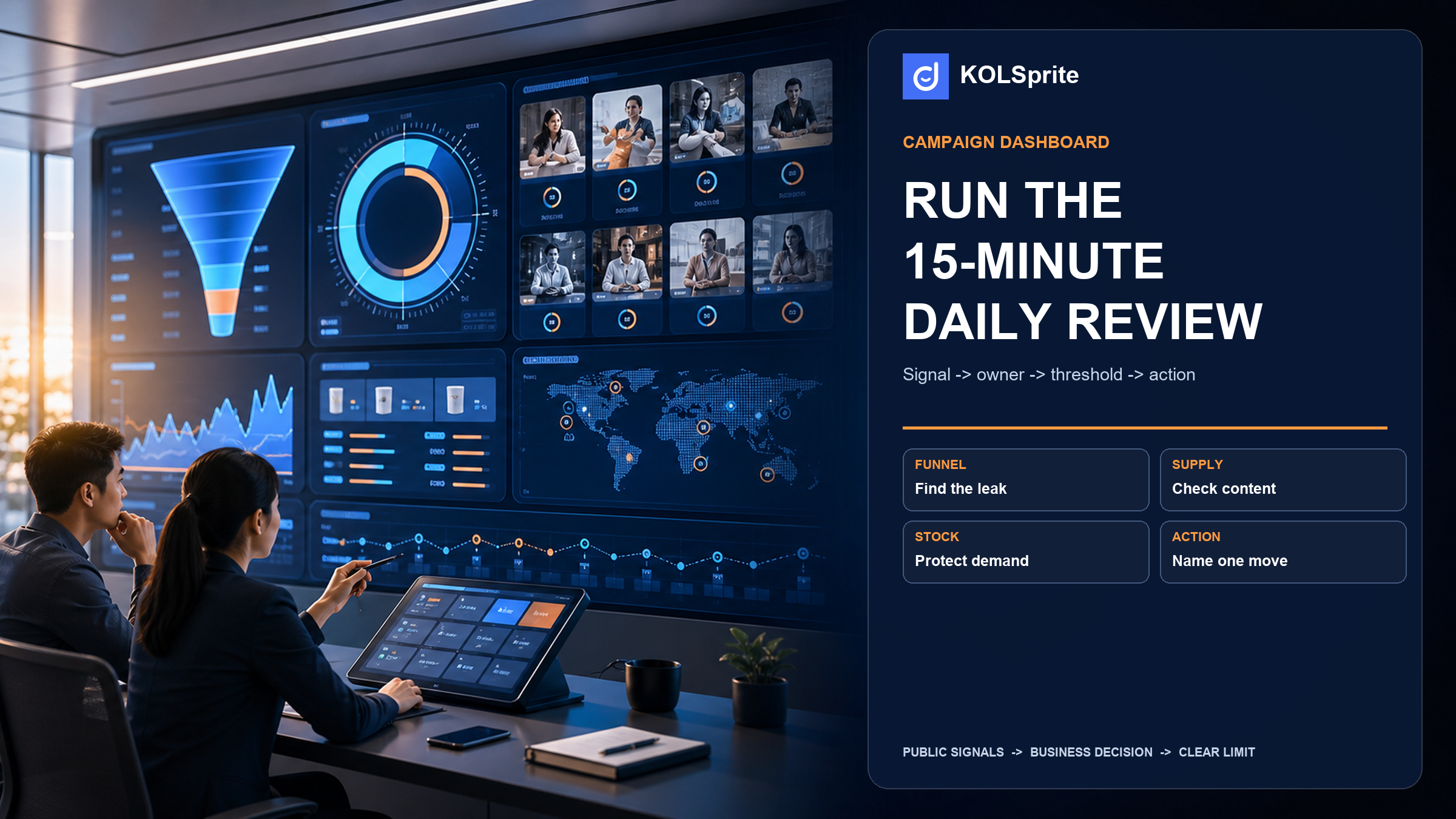
If you run a TikTok Shop mega campaign, the Campaign Dashboard can show more data than your daily meeting can use. The problem is not the lack of numbers. It is deciding what to change before the next campaign day. The direct answer is a 15-minute control review: set the time view, find the main limit, give one person one action, and state what would change that call. You will leave with a short plan for stock, traffic, conversion, or creator content. You will not leave with a long recap of every tile that moved.
A TikTok Shop campaign dashboard helps only when each signal leads to a choice. "Traffic is down" is not a choice. "Yesterday's clicks fell while a stock alert is live, so inventory confirms supply by noon" is a choice. The first line describes a screen. The second line controls work.
TikTok Shop's Campaign Dashboard guide, published March 18, 2026, says eligible sellers in a mega campaign can use Today, Daily, and Campaign Period views. It also lists benchmarks, baseline comparison, marketing data, traffic detail, a conversion funnel, and alerts for content violations and possible stock risk. That is useful range. It can also cause a common failure: the team walks through every tab and leaves with no decision.
Anchor rule: The dashboard is not the meeting. The decision log is the meeting.
Start with the time view. Each view answers a different question. The guide defines Today as real-time data from the start of the day through the time you look. Daily covers yesterday or another finished campaign day. Campaign Period adds results from the campaign start through the time you look. A partial day and a finished day should not be treated as the same thing.
For the main review, use a finished campaign day. Use Today to watch an urgent alert, not to judge the whole day. Use Campaign Period to see if the daily action still fits the larger target. TikTok also lets you compare a Daily View campaign day with a past daily GMV day from the prior six months. That is a reference, not a verdict. Product mix, promotion, stock, and traffic may differ.
Put the campaign name, finished date, view, target, and chosen baseline at the top of the review. This simple header keeps one person from citing a live number while another person is looking at yesterday's total.
It also gives the team a stable comparison record. Without that record, a fast-moving dashboard can create false agreement: everyone sees a number, but each person may be using a different time range, product set, campaign view, or baseline day. The header makes those differences visible before they turn into an action, which matters when a partial-day movement is being compared with a completed day that included a different offer or stock position.
The loop is short on purpose. Campaign teams often have more possible fixes than time. Four major changes in one day make it hard to know which change helped. They can also overload people who still need to keep stock moving and orders flowing.
After the first pass, ask whether the limit is truly content supply or creator fit. Creator research belongs here only when stock can support demand, the offer and funnel do not explain the issue, and the team can name the missing proof role. A storage item may need a creator who can show setup in a small apartment. A skin care item may need a creator who can explain a simple routine without claims the brand cannot support.
KOLSprite can then help inspect public creator and video context and save why each candidate fits that role. It cannot show private dashboard data or prove that a creator will reply, post, sell, or meet campaign rules. If the review points to stock, traffic, or conversion instead, skip this branch and give the action to that owner.
Create a KOLSprite account and claim a three-day trial. Use it to inspect the public creator and content context behind a dashboard movement, then document the action that belongs to the right owner.
Register and claim a three-day trial
| Dashboard signal | Question | Next action | Owner |
|---|---|---|---|
| Stock alert or low availability | Can this product handle more demand tomorrow? | Confirm supply, pause the push, or shift focus to an in-stock item. | Inventory or merchandising |
| Traffic source change | Which source lost reach or gets weak clicks? | Inspect that source before changing budget or content support. | Traffic or paid lead |
| Drop from click to order | Is the issue the page, offer, price, delivery promise, or fit? | Check one page or offer factor. Do not blame the creator by default. | Conversion owner |
| Content supply gap | Do we lack enough useful creator or in-house content? | Send one clear content role to creator research and outreach. | Partnerships or content lead |
| Benchmark or baseline gap | What condition sits behind the gap, and can we change it today? | Drill down to one controllable limit. Do not chase the comparison. | Campaign lead |
A metric name is not a diagnosis. A weak click-to-order rate may point to the offer, product page, price, delivery promise, fit, or stock. It does not mean "make another creator video." The guide gives teams traffic, funnel, content, and marketing views so they can look at each layer. The team still has to decide which layer needs work first.
That diagnosis should remain provisional until the supporting view agrees with it. For example, a traffic change may look like a content problem until the product view shows limited availability, or the funnel view shows that the loss happened after the click rather than before it. The daily log should capture the evidence that changed the team's first impression, not only the action it chose. That record makes the next review a check of the prior hypothesis instead of a fresh debate with no memory of why the work was assigned.
Once content supply or fit is the named limit, turn it into a narrow handoff rather than a request for more creators.
Turn that gap into a research question. For a storage item, ask: "Which public creators can show setup and use in a small apartment?" For skin care, ask: "Which creators explain a simple routine without claims we cannot support?" A broad keyword does not create an outreach-ready list. In the August 12 KOLSprite public research snapshot, searches for home organization and beauty skincare each showed a 10,000-result universe. The first rows overlapped and had wide category histories. That changed the call from "search and invite" to "define the proof role, then check product fit and public content history."
KOLSprite fits at that narrow handoff. Search public creator and video context, compare content roles, and save why each candidate fits the proof task. The output is a reasoned shortlist. It is not proof that a creator will reply, post, sell, or meet campaign rules. The partnerships lead can move the chosen candidates into the right Seller Center or collaboration workflow and measure the result in Seller Center.
Anchor rule: A content gap needs a content role before it needs a creator list.
Bring one dashboard movement, the threshold it crossed, and the action you assigned. The KOLSprite community can help you test whether the rule is specific enough for another operator to follow.
 +
+
Join the KOLSprite Discord community
End each review with this short log. It should be much smaller than a dashboard export.
| Field | What to write |
|---|---|
| Finished-day fact | One change, its view, and the related product or source |
| Main limit | The one condition the team thinks is holding back tomorrow |
| Evidence checked | The dashboard view or alert that supported or challenged the call |
| Action and owner | One tight action, named owner, and deadline |
| Reversal rule | The finished-day signal that would stop, grow, or change the work |
| Open limit | What the dashboard cannot show or what still needs a check |
A sample note could read: "Daily View on campaign day four shows a stock-risk alert on the top product. Inventory checks supply by noon. Partnerships does not recruit more creators for that item until supply is clear. Lift the hold only after the alert clears and the next finished-day product view still supports demand." This is not a performance claim. It is the detail needed for a useful review.
Alerts come first because they can block an action that a strong metric seems to support. A stock-risk alert can make more traffic or creator support the wrong move. A content violation alert may need a policy review before the team grows a format. Put the alert in the log, give it an owner, and do not bury it below the performance slides.
Benchmarks need a different kind of care. The guide says benchmark comparisons use sellers in the same category and at the same or higher GMV tiers when data is available. The comparison can show a gap worth checking. It cannot tell you how to fix that gap. The cause may be stock, a different deal, a different traffic mix, or a funnel issue that a new ad or creator cannot solve.
Use the comparison to form a question. Then find the condition you can change. A good campaign review is not a contest to raise every tile. It protects the next action from noise.
The TikTok Shop campaign dashboard can show real-time, daily, and campaign-period views. It can show benchmarks, baselines, traffic, funnel, marketing, content, and alert data for eligible campaigns. It cannot set your stock risk level, prove a creator caused a change, approve a product claim, set creator terms, or tell you which public creator will be a good partner.
That is why the loop ends with an owner and a reversal rule: when the dashboard shows a creator-content gap, public research can support a narrow handoff, but when it shows stock or conversion friction, the team should fix that first while keeping campaign measurement in Seller Center and public creator research in its proper role before reviewing the next finished day.
The result is a TikTok Shop campaign dashboard review that changes today's work without claiming a dashboard can run the campaign alone.
Keep the decision connected. Use the related KOLSprite operating guide to frame the wider workflow. Open the supporting research guide when the next question needs a deeper evidence check, then continue with this next-step KOLSprite guide when the team is ready to turn the record into action.
Latest Articles

As an essential, data-driven toolkit for TikTok influencers and marketers, KOLSprite provides powerful features for effortless creator discovery, trending content identification, and actionable real-time insights.
It empowers users to make smarter decisions and significantly boosts their TikTok business.

 Refer & Earn