 +
+
Before you book the shoot, consider a product photograph you admire but that leaves the contents of the box unclear. A carefully arranged scene leaves some questions outside the frame: whether the accessory is included, or how large the item really is. Planning a small-brand shoot begins with accepting that limit. Give the social scene room to attract attention and the listing views room to answer purchase questions.
Before you book a photographer or brief a creator, decide which shots explain the sold product and which shots show its use. That decision helps the team spend less time arguing over one “best” photo and more time building a useful image set.
A listing shopper asks, “What will I receive?” They need a clear product view, the right variant, scale, included items, and accurate color. A social viewer asks, “Why should I care?” They may respond to a real moment, a small problem, a satisfying use, or a point of view. These are connected questions, but they are not the same.
When a brand uses only lifestyle images, the buyer may like the mood but still fail to see the exact item. When it uses only clean catalog images, the buyer may understand the object but not imagine it in a routine. The answer is not a larger gallery full of near-duplicates. It is a planned mix where each image has a job.
Start each shot with a sentence. “This shot proves the mug’s color and handle.” “This shot shows the mug beside a notebook for scale.” “This shot shows a quiet morning use.” These lines make selection easier after the shoot. They give each attractive photo a clear purpose.
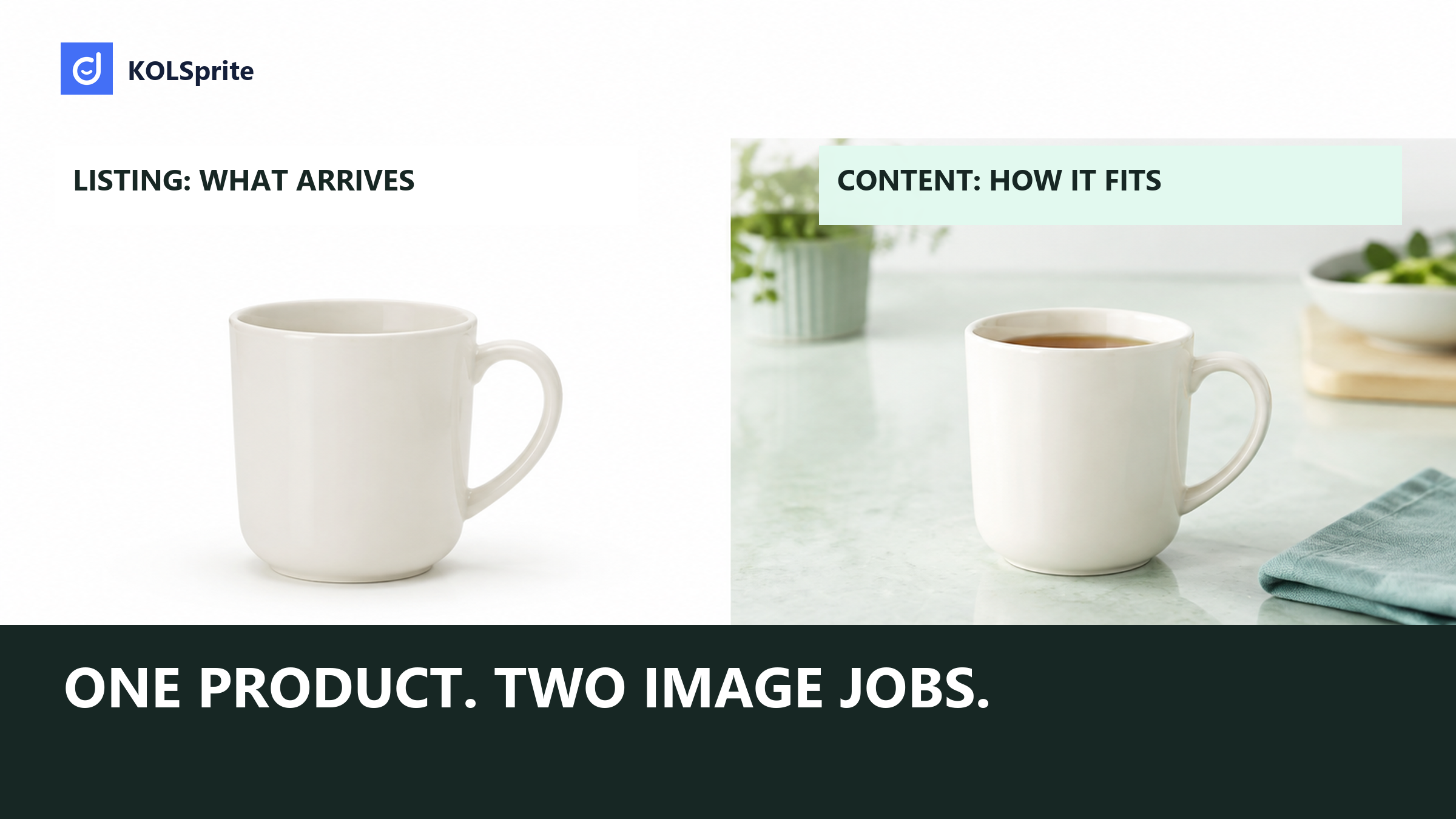
This is an illustrative plan for a ceramic mug, not a performance study. The listing set starts with a clean front view of the actual mug against the required background. A second image shows the handle and rim. Another shows the lid only if it is sold with that version. Put dimensions in the appropriate listing details. Keep a notebook scale scene in the separate social reference set, where it will not be mistaken for an included item.
The social set uses the same mug in a different role. One frame shows steam on a desk during a calm morning routine. Another shows a hand lifting the mug by its handle. A close view can show the glaze texture. These frames answer why the object may fit a viewer’s life. They should still show the real color and shape, but they do not need to carry every listing fact.
The overlap is useful. The hand-and-handle photo may help a buyer judge scale and also work in a creator brief. The main white-background image rarely makes a strong social opening. Planning the overlap lets one shoot serve both teams without pretending the two jobs are identical.
| Observed listing requirement | Implication for this shoot |
|---|---|
| Main image: white background and front physical product view. | Reserve a clean setup, separate from the styled social scene. |
| Real and accurate product images, showing what the buyer receives. | Do not substitute a generated concept or let a prop appear to be part of the offer. |
| Additional angles should add information rather than repeat the same view. | Spend another frame on a relevant detail, not a near-duplicate. |
Source: TikTok Shop US Product Listing guidance. Scope: product listing image requirements. Market: US. Access date: 2026-09-03. Sample: one official seller policy document. Cleaning: documentary review; no listing approval tests or social performance data. Limit: this policy is not a universal rule for social posts or a claim that any image will sell. Product Listing guidance.
Use those requirements as a compliance and accuracy lane. Do not turn an editorial cover, a generated concept image, or a heavily styled social frame into a claim that it meets a real-product listing rule. The product photo must show the product that will arrive. The social frame can be more expressive, but it must not misrepresent that item either.
Claim a three-day KOLSprite web trial to study public content references before writing a shot brief. Keep photo rights and listing checks with your team. MCP is separate.
Register and claim a three-day trial
Begin with the exact item and variant. Bring the actual product, every included part, and the color reference to the shoot. Confirm what is not included as well. A scene with a coaster, spoon, or accessory can be appealing, but the listing image should not make it look like the buyer will receive those extras.
Then divide the shot list into two columns. The listing column includes the main product view, angle support, included-items view, size or scale view, and variant-specific photos. The social column includes the use moment, the detail that creates interest, hands in action, and a setting that makes the product relevant. Some photos may serve both columns, but do not rely on that by default.
Make the handoff clear. The catalog owner chooses images that accurately support the selected item. The creative owner chooses frames that tell the use story. The person who owns product facts resolves any disagreement. This is faster than debating visual taste when the real question is whether the image is accurate.
Listing-first shots: exact front product view; correct color; handle and rim detail; included-items view; a simple scale reference; one image for each material difference. These shots answer what the buyer receives.
Social-first shots: the product solving a small routine problem; a hand using the feature; a relevant setting; and a detail with visual texture. A short sequence can open a creator video. These shots answer why a person might stop and care.
Shared check: for every shot, write the variant, included items, and product fact it can safely show. Remove props that could look included. Mark the one buyer question the shot answers. This gives the photographer, catalog owner, and creator a shared brief without demanding duplicate work.
Scale is often left to imagination. A mug can look large in a close crop and small in a wide scene. Use a familiar, neutral reference where it helps the buyer, such as a notebook or a hand. Do not use the reference to create a false size impression. The goal is a useful clue, not a dramatic visual trick.
Included items need the same care. If a lid, cable, stand, or pouch is included only with one version, show that version and name it in the catalog work. If a prop is not included, keep it out of the product-identification frame. In social content, a visible prop can support a story, but it should not make the purchase less clear.
Review color in context too. A warm room can make a cool gray mug look brown. A bright filter can flatten a glaze. The listing image needs accurate color; the social image should not create a surprising mismatch. Use the actual product as the reference, not a memory of how it looked on a phone screen.
Talk through a product-photo choice in Discord: what is included, how large it is, or how it is used. A specific question beats a mood board alone.
 +
+
Join the KOLSprite Discord community
Public TikTok references can help a creative team see how a category frames a use moment or opening shot. They can show common visual questions: is the product held, used on a desk, shown beside a bag, or revealed after a problem? They do not prove that a still image will sell, and views alone do not certify a shot choice.
KOLSprite can keep public content research beside the TikTok page and help a team narrow reference videos for manual review. The useful output is a reference note about the question each shot must answer. It does not shoot photos, verify image rights, or certify listing compliance. Exact public filtering options can vary, so a person should inspect the visible framing.
For this mug brief, a KOLSprite reference note might identify whether a public scene makes the handle easy to see. The photographer can use that question to plan an original shot. A reference is neither permission to reuse the image nor proof that the mug fits every hand.
Use that note to improve a brief, not to copy a creator’s work. A good brief names the product fact, the buyer question, and the setting needed to show it. It leaves room for a photographer or creator to make an original image that suits the brand.
A team may love the most cinematic photo. That does not mean it belongs in the main listing slot. Place the clear product photo where a buyer needs certainty. Place the expressive use frame where a person needs a reason to pause. Then make sure both point to the same real item.
For a wider planning system, use TikTok content strategy and a TikTok video ideas proof matrix. These tools can help assign a role to each visual without treating photography as a pile of interchangeable assets.
Run a final selection pass before files move to the listing or creator folder. Look at every image at the size a buyer will see. Remove near-duplicates. Check that the main product image is not being asked to carry the mood of a social post. Check that a social crop does not hide the feature the script mentions. A smaller, deliberate set is easier to keep accurate as variants change.
Save the reason beside each approved file. “Main view for 12-ounce blue mug” is more useful than “final.” “Creator opening frame, shows handle use” gives the next editor context. This simple naming habit reduces rework when the team needs a new crop, a different product tag, or a variant-specific page update.
Include a rights check in the same handoff. The catalog image, photographer deliverable, and creator post may have different use terms. The visual plan can say where a frame is intended to appear. The person who owns rights still needs to confirm that use. Accuracy in the image and permission to use it are different checks.
For an illustrative mug sold alone, the handoff could read: "Photograph the mug on a breakfast table for the social scene. The spoon and linen are props, excluded from the order. Capture a separate product view showing the mug alone, plus a hand-held view for scale. Avoid wording that implies heat retention without supporting evidence." This TikTok creator brief template provides a structure for that handoff.
The creator can choose the breakfast setting and composition within those boundaries. The listing editor has a mug-only view that makes the order contents explicit. If the styled scene is reused on the listing, its props still need to be distinguished from included items; the original shoot brief gives the editor that distinction.
Latest Articles

As an essential, data-driven toolkit for TikTok influencers and marketers, KOLSprite provides powerful features for effortless creator discovery, trending content identification, and actionable real-time insights.
It empowers users to make smarter decisions and significantly boosts their TikTok business.

 Refer & Earn