 +
+
A TikTok caption extractor saves the time it takes to replay and type a public video. The useful part begins after extraction: verify the text, mark what the video visibly proves, separate the creator's wording from the structure, and write a new brief for your product. This guide gives content leads a transcript-to-brief table, a source check, and a clear boundary between research and copying.
Ten-second answer: paste a public video URL into KOLSprite script analysis, copy the output, check it against the source, and annotate four things: claim, proof, buyer question, and reusable structure.
Captions are timed text shown with a video. A transcript is a readable record of spoken words. A script may include spoken language, scene direction, on-screen text, and intended beats. Search tools often use these terms loosely, so decide what output you need before choosing a mode.
KOLSprite's TikTok Video Script Generator accepts a video link. Fast mode produces a basic script, while expert mode adds voice and music separation and multilingual support. The extension can also copy subtitles with optional timestamps, translate text, summarize a video, and break down script structure.
TikTok's own TikTok Studio documentation lists auto captions as an editing feature and notes that creators can add and edit them. Extracted text should therefore be treated as a working transcript that still needs a source check, not as an infallible record.
Extraction is not perfect. Auto-captions can miss brand names, accents, numbers, or words covered by music. Always review the source before you quote, approve a claim, or brief a creator.
Do not collect transcripts because a video has many views. Tie the extraction to one decision:
The decision keeps the analysis short. A 60-second transcript can produce pages of notes if the team has no question.
| Extracted line | Visible proof | Buyer question | Reusable structure | Rewrite note |
|---|---|---|---|---|
| Keep the exact text only for internal review. | Describe what is actually on screen. | Name the concern behind the line. | State the function of the beat. | Write fresh language for your product. |
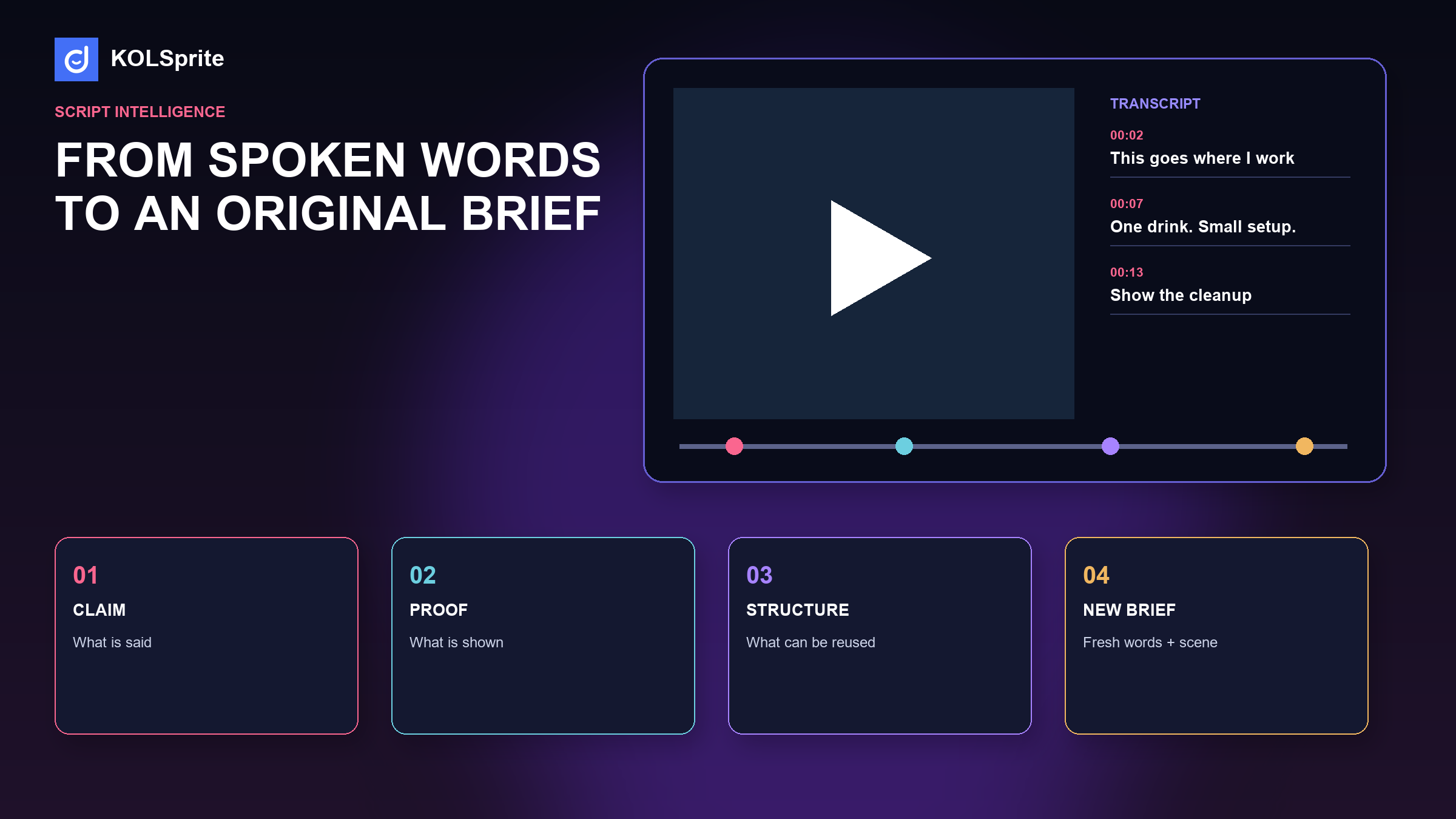
| "This goes wherever I work." | Product appears on a desk and fits in a bag. | Is it practical away from a kitchen? | Open with a change of setting. | Show the real work setting; do not reuse the sentence. |
| "One drink, no full-size blender." | One serving is prepared. | Is the small capacity enough? | Contrast a focused job with an oversized tool. | State tested capacity and avoid a universal claim. |
The first column belongs to the source. The other columns belong to your analysis. Keeping them separate reduces accidental copying and makes unsupported claims easier to spot.
For this guide, KOLSprite's public video search returned a portable-blender clip titled "This portable blender is your next must have." Its captions could not be verified at review time, so this article does not quote or reconstruct the creator's words.
The sample table above is clearly labeled as a teaching example based on a common product-demonstration structure. It shows how to use the worksheet, not what that creator said. When source text cannot be checked, the useful answer is to state the limit and continue with a method that does not depend on invented wording.
KOLSprite script analysis accepts a TikTok URL, returns copyable text, and can translate or break down the script so a content team can review it without retyping every line.
Register and claim a three-day trial
If timestamps are available, keep them until the review is done. They make it faster for another editor to inspect a claim.
Once the transcript is clean, summarize each beat with a verb: reveal, compare, demonstrate, answer, qualify, or invite. A new brief can reuse that functional sequence while changing the language, scene, evidence, and product truth.
The creator moves from a crowded kitchen to a desk and introduces a compact blender.
Open in the buyer's real setting, show the product fitting the available space, and demonstrate one tested use from start to cleanup.
The second version is not a paraphrase. It is an instruction that another creator can perform honestly with a different setting and voice.
Break the video into five simple zones: opening, problem, proof, answer, and close. A zone may be only a few seconds. The point is to see the job of each beat.
| Zone | Question | Brief output |
|---|---|---|
| Opening | Who should stop scrolling, and why? | A setting and problem the buyer knows |
| Problem | What friction is made clear? | One specific job, not a broad lifestyle claim |
| Proof | What action can the viewer inspect? | A test the product can repeat |
| Answer | Which doubt is resolved? | A fact, limit, or comparison with support |
| Close | What should the viewer do next? | One natural action |
If a transcript contains three claims but the video shows one proof, the brief should not copy all three. Keep the proof. Move the other claims into a verification list.
Keep the original line beside the translation. A smooth English sentence can hide uncertainty in the source. Mark slang, product names, and words that may have more than one meaning.
Translate the buyer job, not only the words. A phrase that sounds dramatic in one market may be routine in another. Ask a native reviewer to check the hook when tone matters. Do not make a compliance or product claim from an uncertain translation.
For a multilingual team, use three columns: original, direct meaning, and publishable English. The last column is a new line written for the audience. It is not a claim that the source said those exact words.
Audience: one named buyer situation.
Problem: one friction seen in research.
Opening: a fresh setting and line.
Proof task: the action the viewer must see.
Facts to include: only approved product details.
Questions to answer: one or two from comments.
Claims to avoid: untested or restricted language.
Close: one useful next action.
Attach the source transcript for the internal reviewer, not as copy for the creator. The creator should receive the job, evidence, and boundaries. Their voice should remain their own.
Stop when the team can name the buyer problem, the proof task, the key fact, and the next action. More notes will not improve a brief that already has those four parts.
Return to research when a claim is uncertain, the proof is missing, or comments point to a different job. The extractor saves time because it makes those gaps visible. It should not turn a short video into a long report by default.
Bring a short transcript, the visible proof, and the buyer question. The community can help turn the structure into a fresh brief without copying the original voice.
 +
+
Join the KOLSprite Discord community
Use the same five zones for both videos. Count where each video spends time. One may open fast and prove late. Another may show the result first and explain later. Write the tradeoff in plain language.
Then build a third route from the buyer's need. You might keep the quick problem from one video and the clear proof order from another. Use new scenes and new words. Do not blend exact phrases.
| Choice | Video A | Video B | New brief |
|---|---|---|---|
| Opening | States the pain | Shows the result | Show the setting, then name the pain |
| Proof | Fast montage | One full demo | Use one full demo at normal speed |
| Close | Urgent sale line | Soft product note | Invite the viewer to check fit |
The comparison helps because it makes a choice visible. It does not prove one structure will perform better. The new brief is still a test.
Use a short file name with the date, creator handle, and video ID. Save the source URL, extracted text, translation if used, review notes, and final brief in one folder. Mark the exact line that led to each important claim.
Do not keep downloaded media longer than the team needs, and follow the rights and privacy rules that apply to your work. A clean record should make review easier, not create a new archive risk.
When the source disappears, keep the note that it is no longer available. Do not present the saved text as a current public statement without checking.
If the answer to the fourth question is no, the brief is still too close to the source. Rewrite the structure as a job and start again.
Finish with a short approval note. Name the source video, who checked the text, which facts were verified, and which parts remain creative choices. A teammate should be able to open the note and understand why the brief is safe to use. This small handoff is especially helpful when research, product, and creator teams work in different time zones. It keeps the source useful without letting a raw extraction become finished copy by accident.
The web tool handles a public URL and copyable output. The extension keeps the analysis close to the TikTok video and adds translation, summaries, script breakdown, and rewrite support. That combination is useful for cross-border teams because the source, translation, and brief can be reviewed in one flow.
Use the AI result as a first pass. Product facts, rights, and final language still need human review. KOLSprite shortens collection and organization; it does not grant permission to reuse a creator's work.
A polished transcript can still answer the wrong question. Check the comments for the concerns viewers actually raised. The AI Comment Analysis guide shows how to find buyer questions and pain points. If you need a wider query set, the TikTok video search query ladder helps compare several clips instead of treating one creator as the category.
Finish by putting the new brief beside the product proof matrix. Every beat should either show proof, answer a buyer question, or move the viewer to the next useful step.
A TikTok caption extractor removes transcription labor. It does not remove editorial judgment. The best output is not a clean block of text; it is an original brief that explains what to show, what to verify, and what the next video should teach the team.
Product source: KOLSprite TikTok Script Analysis and extension feature page, accessed August 10, 2026. Verify extracted text against the source and follow applicable copyright, platform, and brand rules.
Latest Articles

As an essential, data-driven toolkit for TikTok influencers and marketers, KOLSprite provides powerful features for effortless creator discovery, trending content identification, and actionable real-time insights.
It empowers users to make smarter decisions and significantly boosts their TikTok business.

 Refer & Earn