 +
+
If your brand sends free items, pays creators, offers affiliate commission, or reuses creator content, disclosure cannot be a note added after the edit is done. It belongs in selection, briefing, sign-off, posting, and checks. This guide turns the FTC influencer guidelines and TikTok's content disclosure setting into an operating checklist for US-focused ecommerce teams. You will get a role map, a preflight review, and a record your partnership manager can use without turning every creator conversation into a legal memo.
When a creator has a material connection to a brand, make the tie clear where the endorsement appears. The disclosure should be easy to notice and understand. On video, plan for disclosure inside the video, not only in a caption or profile. Use TikTok's content disclosure setting when the post promotes a brand, product, or service, and keep proof of the final post.
compliance check is a production step, not a footer.
Money is only one form of value. A free sample, discount, affiliate commission, employment tie, family connection, or another perk can make a material connection. The FTC's Disclosures 101 guidance says creators should disclose financial, employment, personal, or family ties with a brand. It also states that free or discounted items can need disclosure when mentioned.
That means “gifted” is not merely a shipping status. It changes the posting workflow. A no-obligation seeding program can still make a tie if the creator later endorses the product. The team should explain the expectation before the package ships, even when no post is guaranteed.
This article is a working guide, not legal advice. Laws and platform rules can vary by market and campaign. Have qualified counsel review high-risk groups, claims, and cross-border programs.
| Owner | choice | proof kept |
|---|---|---|
| Partnership lead. | What value is offered and what tie exists. | Offer, brief, rate, commission, sample status. |
| Creator. | How the tie will be clearly disclosed in the content. | Draft, caption, platform setting, final live post. |
| Claims checker. | Which product statements are supported and allowed. | Approved claims, product facts, requested corrections. |
| Content approver. | Whether disclosure and claim are visible in the final edit. | Timestamped sign-off copy and final asset. |
| Campaign operator. | Whether the live post still matches the approved version. | URL, screenshots, post date, checks note. |
A small company can assign several roles to one person. The choices still need names. “Marketing checked it” is not a useful record when no one knows whether marketing checked the disclosure, claim, music, link, or final post.
KOLSprite can help a team compare public creator activity, audience fit, product-linked videos, and visible commerce patterns before outreach. That setting affects the brief. A creator who publishes rapid product demos may need a very clear placement instruction so disclosure is not lost in a fast opening. A creator who uses long spoken reviews may need the approved tie wording included in both audio and on-screen text.
Public history is not proof that the creator will follow the next brief. Do not turn past disclosures into a compliance check score. Use the research to ask better questions: How does the creator normally open a video? Where will the tie be stated? Does the content rely on a caption that viewers must expand? Can the creator use TikTok's disclosure setting for this post?
Research boundary. KOLSprite creator and video research can provide public setting for selection and briefing. It does not certify legal compliance check, validate private contracts, approve claims, or guarantee that a live post matches a draft. Those choices remain with the brand, creator, platform, and right advisers.
Research the creator's real format before you lock the disclosure and sign-off route. Create a KOLSprite account to claim a three-day trial membership.
Register for a three-day KOLSprite trial
Do not paste a long policy paragraph into a crowded brief. Give the creator a short instruction tied to the actual tie and format. State the value exchanged, the words or meaning that must be clear, the place and timing, the platform setting, and the person to ask when the format changes.
For example: “This is a paid post for Brand X. State the paid tie in clear language at the start of the video and show readable on-screen disclosure while the endorsement begins. Turn on TikTok's content disclosure setting. Do not place the only disclosure after ‘more,’ in a hashtag group, or at the end.”
The wording must fit the real deal. Do not say “gifted” for a paid campaign. Do not use a vague tag that an ordinary viewer may not understand. The FTC guidance emphasizes that disclosure should be hard to miss and placed with the endorsement message.
TikTok's commercial-content disclosure guidance says creators must turn on the setting when promoting a brand, product, or service. The setting can label content as paid partnership or promotional content, depending on the tie. Platform tools help disclosure, but the team should still review whether the endorsement itself is clear to the intended audience.
Do not assume a platform label repairs vague content. Do not assume a spoken line repairs an unreadable visual if part of the audience watches without sound. Plan the message for the real viewing experience.
Run the preflight on a phone at normal size and speed. A disclosure that looks clear on a large editing monitor may disappear behind interface elements, a busy product shot, or fast cuts.
A creator can be a perfect audience match and still need a correction. High reach does not make unclear disclosure less risky. A tight launch date does not make unsupported product language acceptable. The sign-off path should treat disclosure and claims as gates, not weighted factors that can be offset by expected sales.
Use KOLSprite Creator Search to confirm the exact account and recent product context. Open useful work in Video Search to brief around the creator's real format. Then move to the private lane: agreement, claims, draft, rights, disclosure, and sign-off.
Bring the tie type, disclosure route, and sign-off steps without sharing private contract terms. Compare the operating process with other seller teams.
 +
+
Discuss the disclosure workflow on Discord
| Field | What to record | Why it matters |
|---|---|---|
| Creator identity. | Stable account ID, handle, and profile URL. | Prevents a name or account mix-up. |
| tie. | Paid, gifted, affiliate, employee, or other connection. | Anchors the required disclosure to a fact. |
| Approved version. | Final file, caption, date, and approver. | Shows what the brand reviewed. |
| Live proof. | Post URL, screenshot, platform label, and time checked. | Confirms the published result. |
| Correction route. | Owner, contact method, response target, and outcome. | Turns a miss into an action. |
Check shortly after publication, again after material edits, and at the campaign's normal review point. Confirm the post is on the right account, the disclosure remains visible, the caption and platform setting are present, the product link is correct, and the content has not introduced a new claim.
If something is wrong, record the issue and correction. Do not rely on a disappearing chat message. For a missing or unclear disclosure, pause amplification and route the fix quickly. For a claim problem, follow the right sign-off and takedown process.
A seeded product can make a material connection even if the brand did not need a post. An affiliate link adds a financial incentive. A paid organic post may later become an ad or product-page asset, adding rights and edit questions. Keep each state visible.
disclosure does not grant usage rights. A downloadable video is not automatically licensed for your ads, site, or email. Use the influencer usage-rights checklist for asset-level permissions. Use the incomplete-data vetting workflow before fees or samples are approved. The creator-link tracking guide helps connect the approved post with first-party measurement.
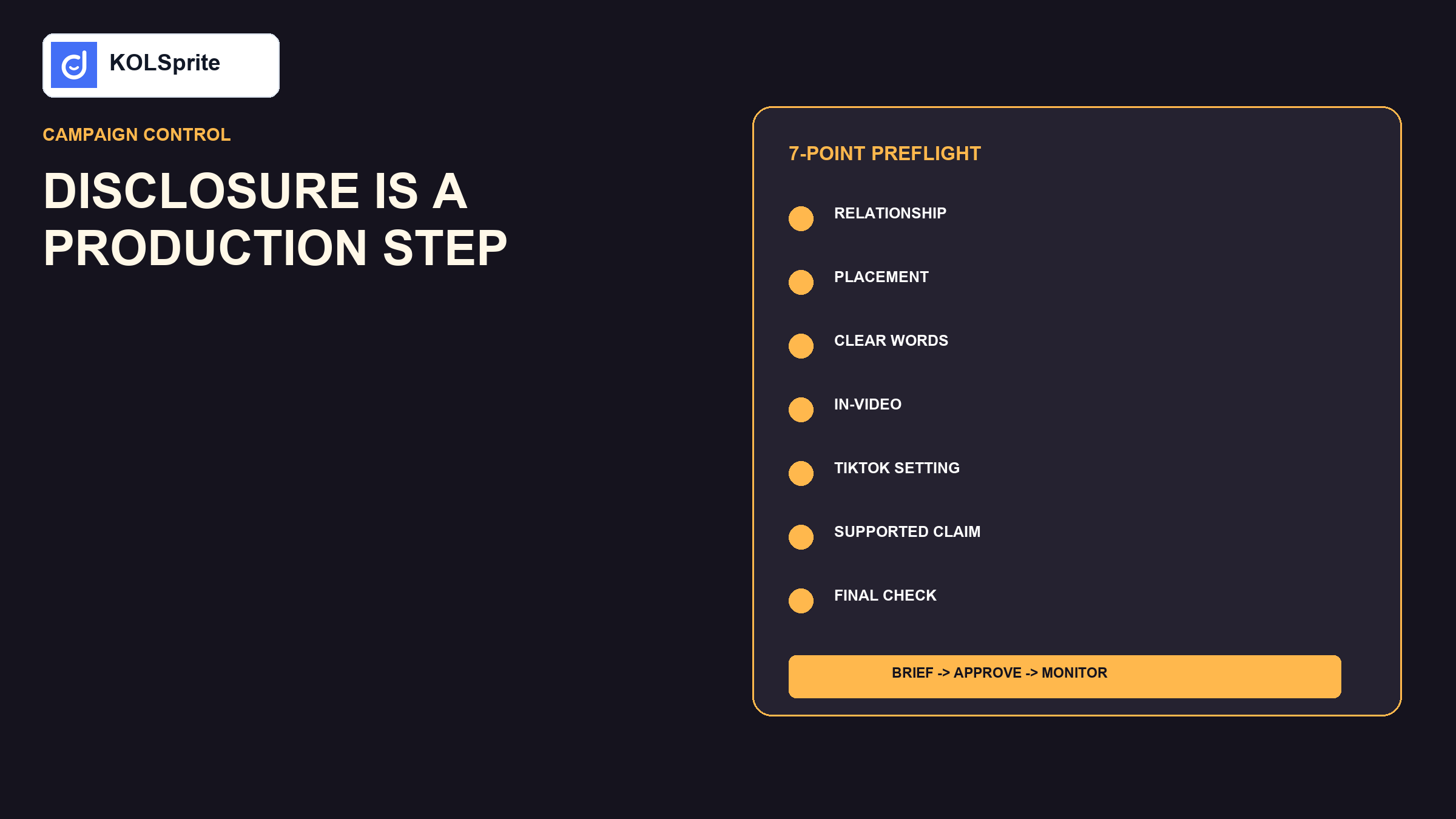
Write the tie in plain words. Assign the five owners. Add the disclosure instruction to the brief. Save the official guidance links beside the task. Complete the seven-point preflight. Decide who checks the live post and how corrections are requested. Then test the checklist on one draft before rolling it across the cohort.
The process should make good work faster. Creators get a clear request before editing. Reviewers know what to inspect. Operators know what to save. The team spends less time debating vague language after the post is ready.
Would a viewer understand the tie without opening more text? Is the disclosure present when the product endorsement begins? Does the platform setting match the post? Are product results shown under normal conditions? Does the creator say anything broader than the approved facts? Is the final file the same as the reviewed file? Who owns the live check?
If any answer is unclear, the post is not ready. A one-minute correction before publication is cheaper than reconstructing the choice after a complaint.
Before filming, the creator should know what the brand gave them and how that tie will be stated. Before posting, the reviewer checks the spoken words, on-screen text, caption, platform label, and product claim. After posting, the owner opens the live URL and confirms that the same facts are still clear.
Each moment has a simple purpose. The first prevents a vague brief. The second catches edit errors. The third catches upload or platform errors. A screenshot and time stamp make the record useful if the post changes later. This is far easier to run than a long memo that no one reads at the point of work.
A good record should be quick to scan. It shows the creator, the brand tie, the approved claim, the final URL, and the person who checked it. A new team member can see what happened without hunting through chat. If a post needs a fix, the owner knows who to call and what to save.
The FTC influencer guidelines are easier to follow when the tie, wording, placement, platform setting, claim, and final check already have owners. Use KOLSprite to improve creator and content setting. Use official guidance and appropriate legal review for the rule. Then keep a simple record that proves what the team asked, approved, and monitored.
Latest Articles

As an essential, data-driven toolkit for TikTok influencers and marketers, KOLSprite provides powerful features for effortless creator discovery, trending content identification, and actionable real-time insights.
It empowers users to make smarter decisions and significantly boosts their TikTok business.
 Refer & Earn